
Request Props
Request props are dynamic parameters that enable you to customize and reuse requests efficiently. By defining props, you can pass specific values to a request, making it adaptable to various scenarios. This flexibility is essential for creating dynamic and efficient API calls.
Defining Props
To define props for a request:
- Open the request configuration.
- Add the required props in the Props section.
- Specify the
name,defaultValue, and whether the prop isrequired.
Example: Defining Request Props
Consider a request named get_users_by_type.
Here, we define a prop type with a default value of 'admin'.
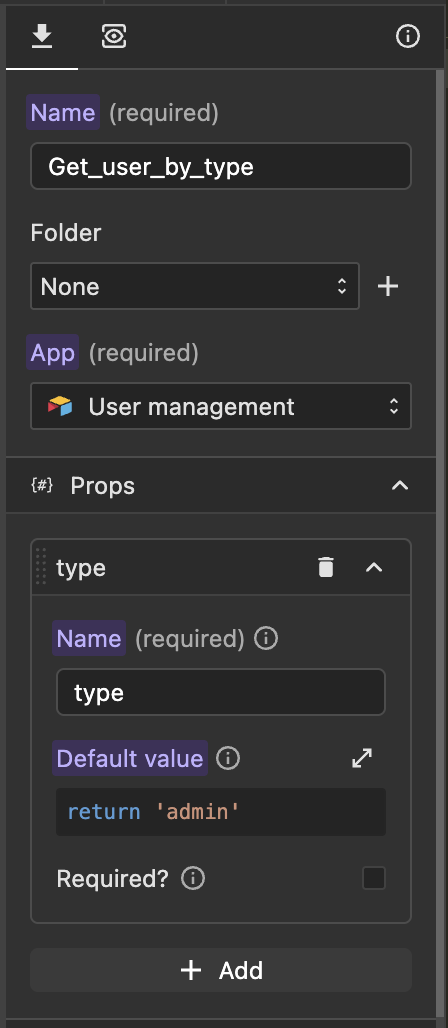
In the request filter, the type prop is accessed via the variable p, as shown below:
return p.type;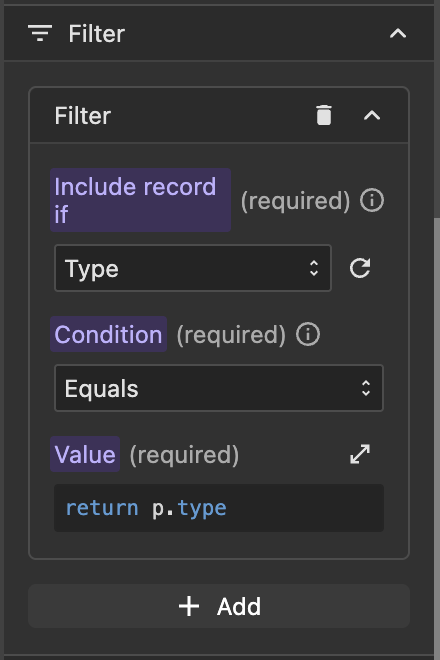
Data Store Key
The Data Store Key is used to save dynamic responses when the request is executed.
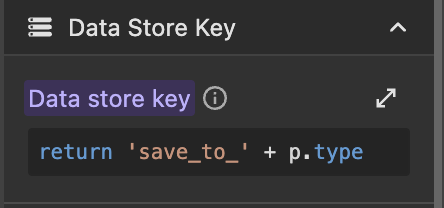
Note: If a data store key is not defined, requests may overwrite each other's responses, which will then be saved under
r.request_name.
Calling the Request
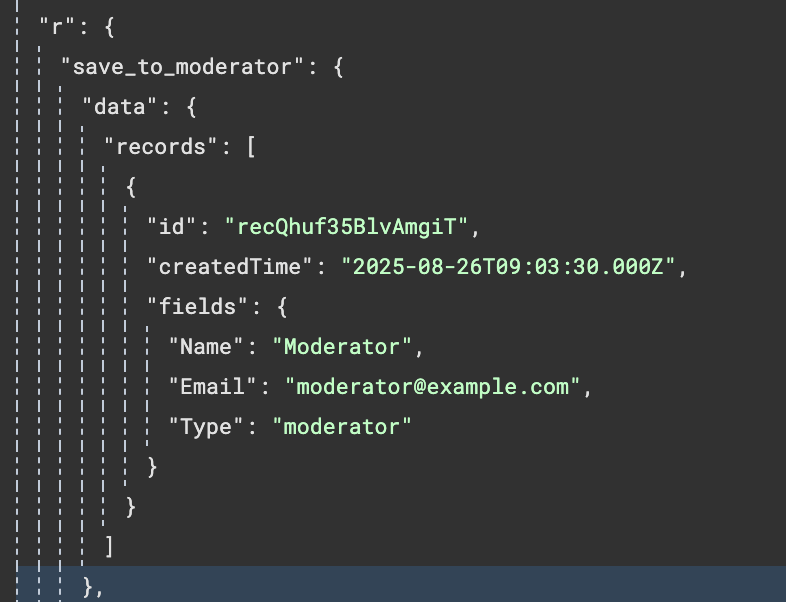
When calling a request, you must provide the prop value. For example, to call the get_users_by_type request with type set to 'moderator', you would use:
return 'moderator';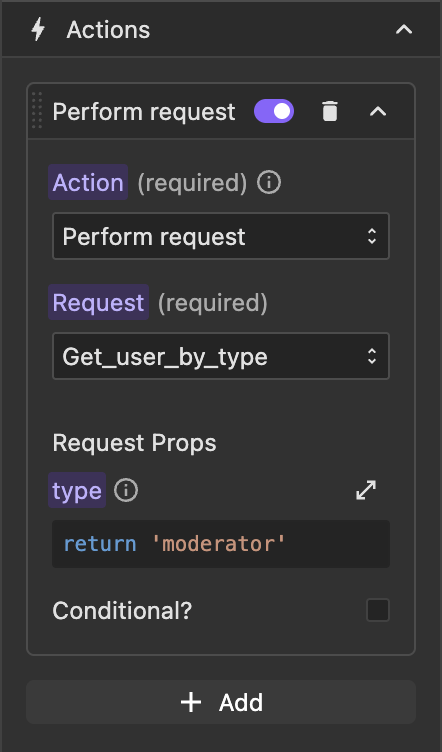
If simulated, the response will be saved to r.save_to_moderator.
Summary
- Props: Enable dynamic and reusable requests.
- Data Store Key: Ensures unique identification and caching of responses.
- Always provide the required props when calling a request to ensure proper functionality.