
Event "Run On" property
Overview
Page event restrictions allow you to control exactly when and where your events execute using the run-on property. This powerful feature enables you to optimize performance by running events only on relevant pages and provides fine-grained control over event execution across your site.
Key Features
- Page-Specific Execution: Run events only on selected pages or exclude specific pages
- CMS Collection Filtering: Target events to run on specific CMS collection pages
- Path-Based Filtering: Filter by URL path patterns (starts with, includes)
- Visual Indicators: UI icons show which events have restrictions
- Performance Optimization: Reduce unnecessary event execution
Run On Options
1. All Pages (Default)
Events run on every page of your site when no restriction is set.
Use Case: Global functionality like analytics, authentication checks, or universal navigation updates
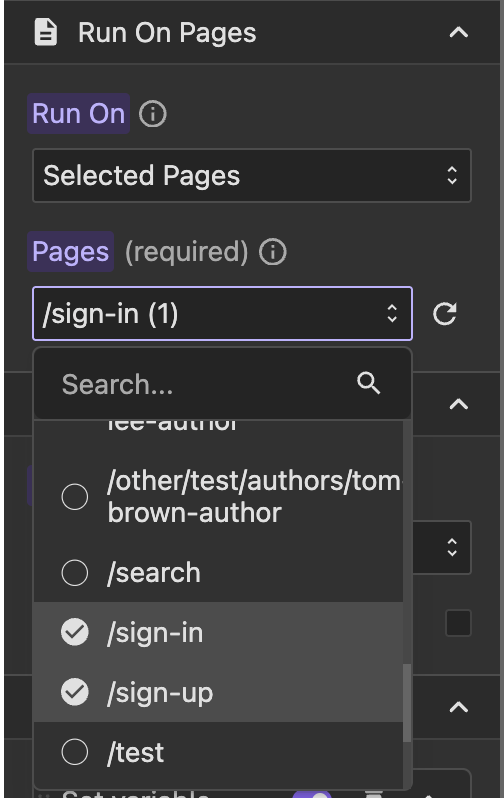
2. Selected Pages
Run events only on specific pages you choose from a list.
Use Case: Page-specific features like dashboard functionality, checkout processes, or specific form handlers
3. All Except Selected Pages
Run events on all pages except those you specify.
Use Case: Excluding events from certain pages like admin areas, login pages, or maintenance pages
4. Path Starting With
Execute events only when the URL path starts with a specified string.
Use Case:
- All search-related pages (
/search) - User profile sections (
/profile) - Admin area (
/admin)
5. Path Including
Execute events when the URL path contains a specific string anywhere in it.
Use Case:
- Blog posts with specific keywords
- Pages with certain identifiers
- Dynamic routes with common patterns
6. Selected CMS Collections
Run events only on pages within specified CMS collections.
Use Case:
- Blog post-specific interactions
- Product page features
- Team member profiles
7. Except CMS Collections
Run events on all pages except those in specified CMS collections.
Use Case: Disabling certain features on blog posts or excluding product pages from general events
Viewing Event Restrictions
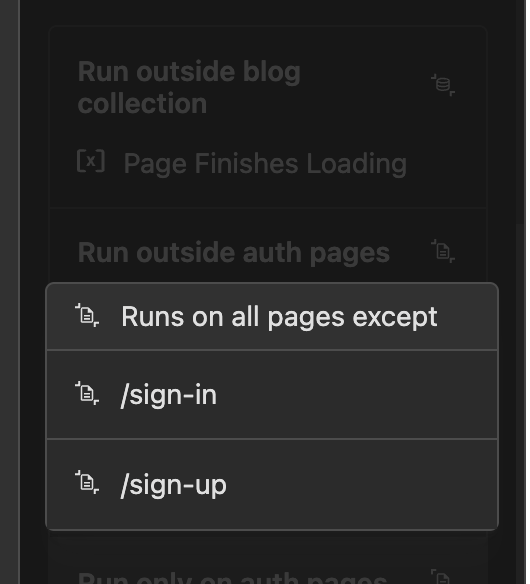
To see which pages or collections an event is restricted to, click the run-on indicator icon in the event item. This will display a complete list of all selected pages or CMS collections where the event will execute.
Filtering Events by Current Page
To view only the events configured to run on the currently selected page, use the "Selected page events" filter in the events panel.
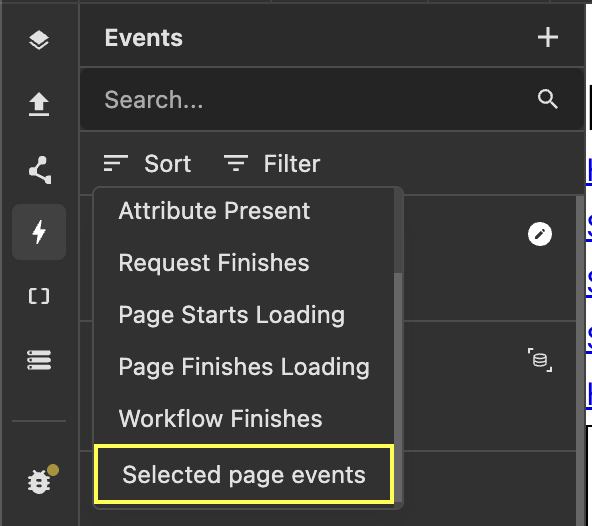
This filter helps you quickly identify which events are active on a specific page, making it easier to debug and manage page-specific functionality.