
Xano setup
Step 1: API Setup
We'll first set up our API in Xano to manage authentication and URL shortening. This involves creating the database schema and API endpoints that handle user registration, login, and all URL shortener operations. The API will provide secure endpoints for managing authentication tokens and CRUD operations on shortened URLs with analytics integration.
Database Tables
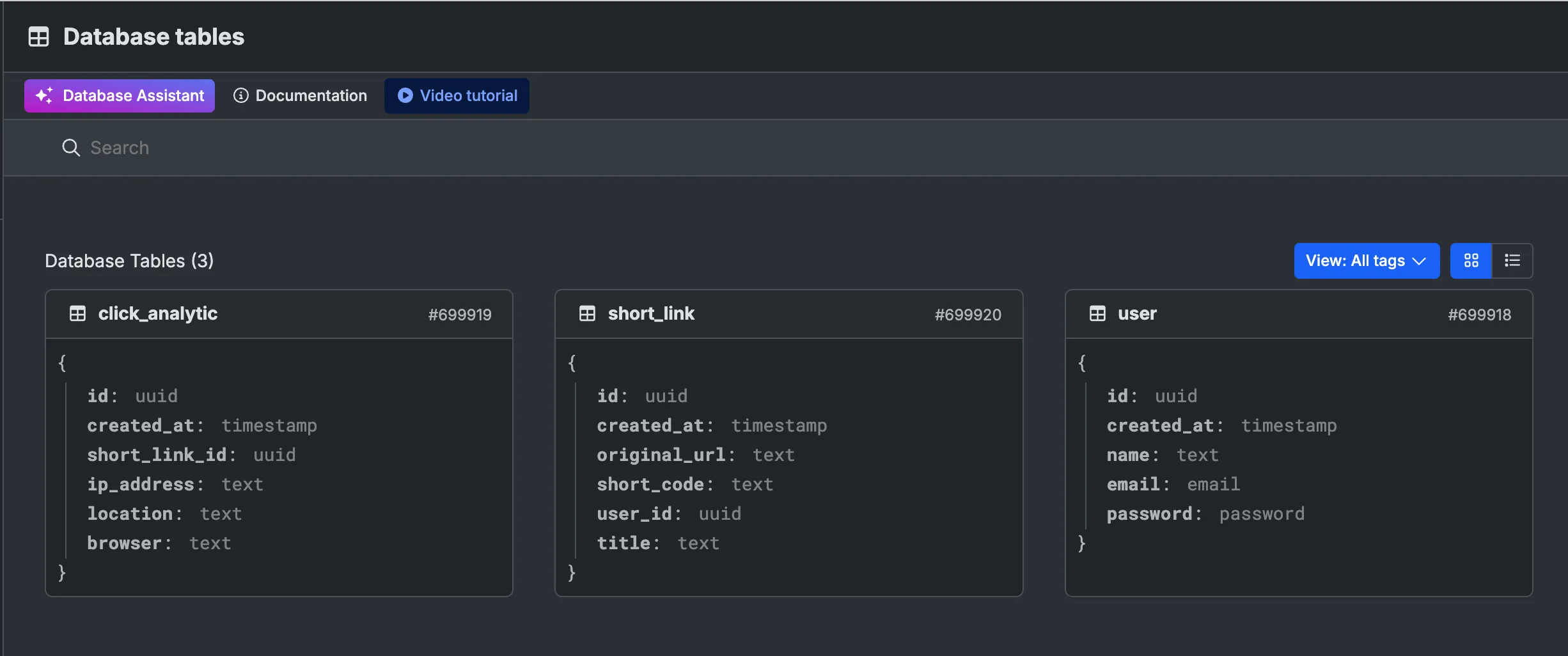
The Xano backend uses three core tables:
user - Stores user account information including name, email, and password for authentication.
short_link - The main table for URL shortcuts, containing the original URL, generated short code, title, and the user ID of the creator with a timestamp for when it was created.
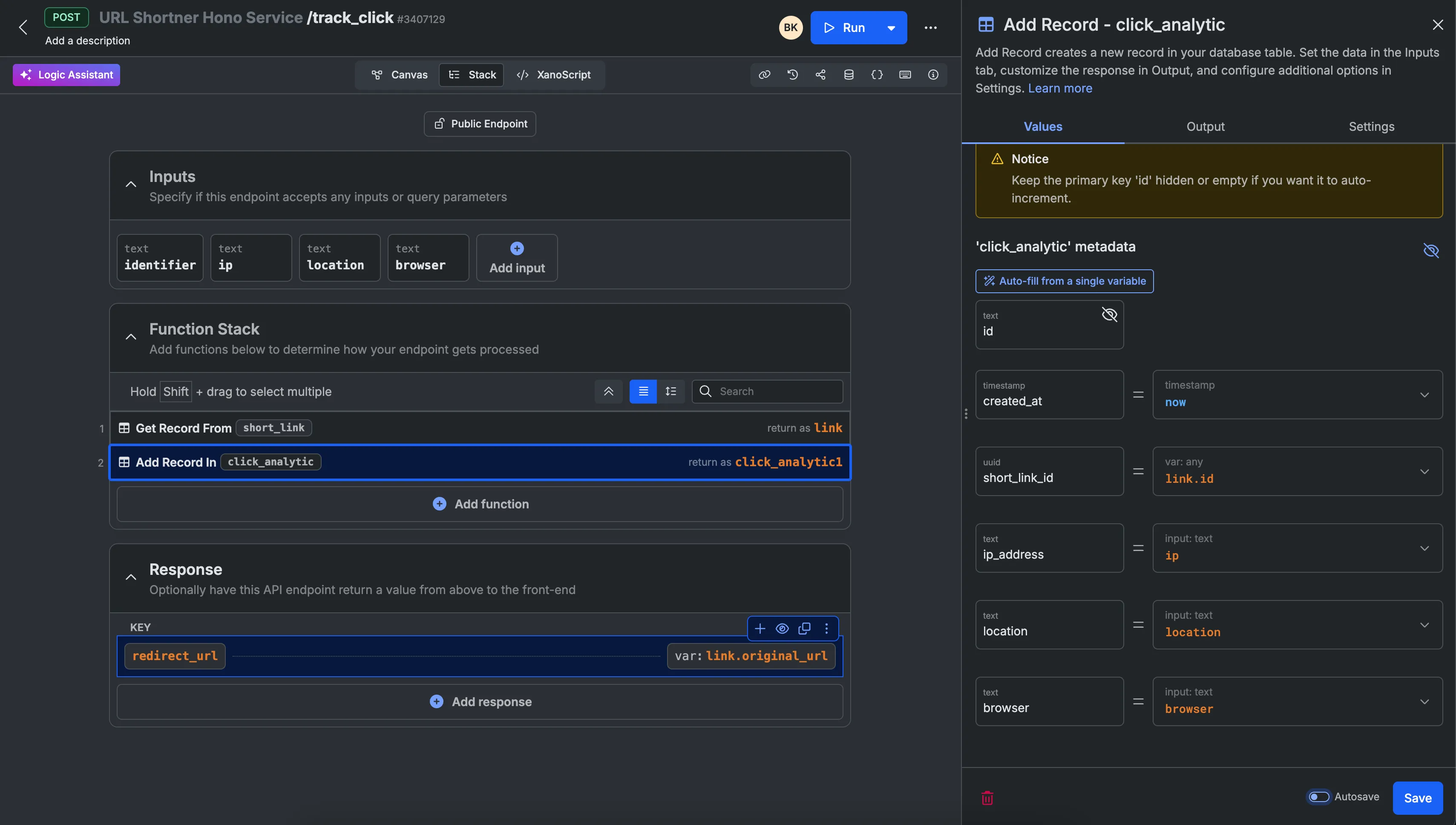
click_analytic - Tracks analytics for each short link click, recording the IP address, geographic location, browser type, and the associated short link ID to measure engagement.
Xano Authentication
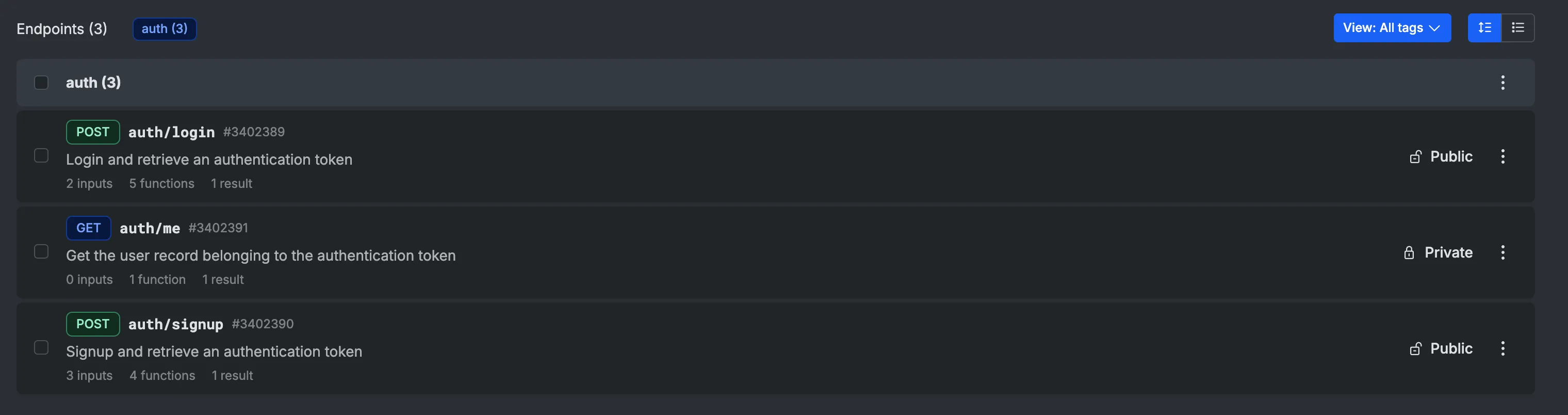
The authentication system consists of three key endpoints:
1. POST auth/login - Authenticates existing users with email and password, returning an authentication token for subsequent requests.
2. POST auth/signup - Creates new user accounts and returns an authentication token, accepting email, password, and name as inputs.
3. GET auth/me - Retrieves the current user's profile information using the authentication token, used to verify the user session.
URL Shortener Endpoints
The URL shortener service provides three main endpoints:
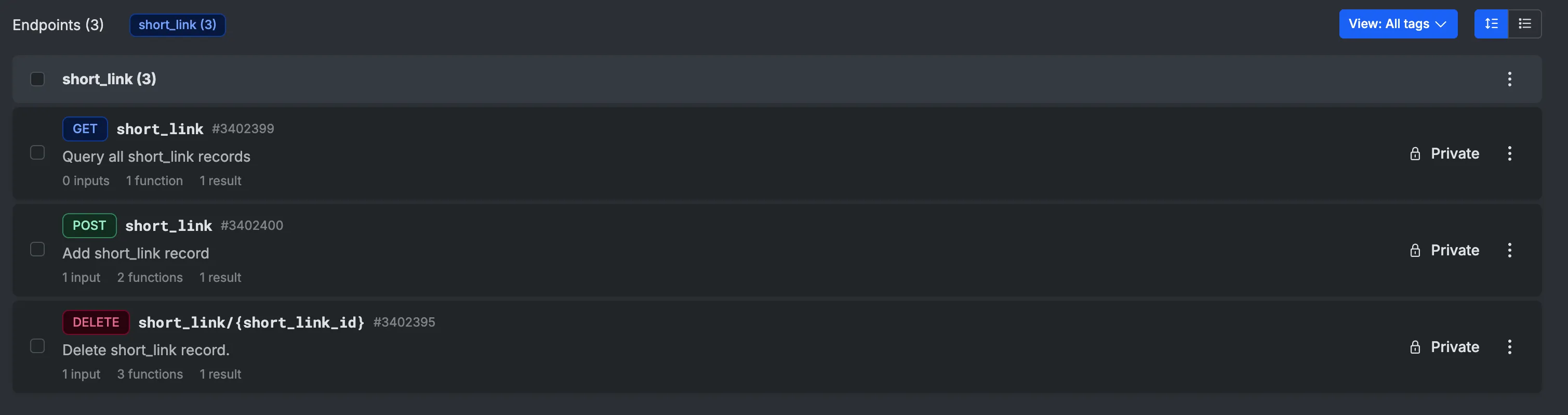
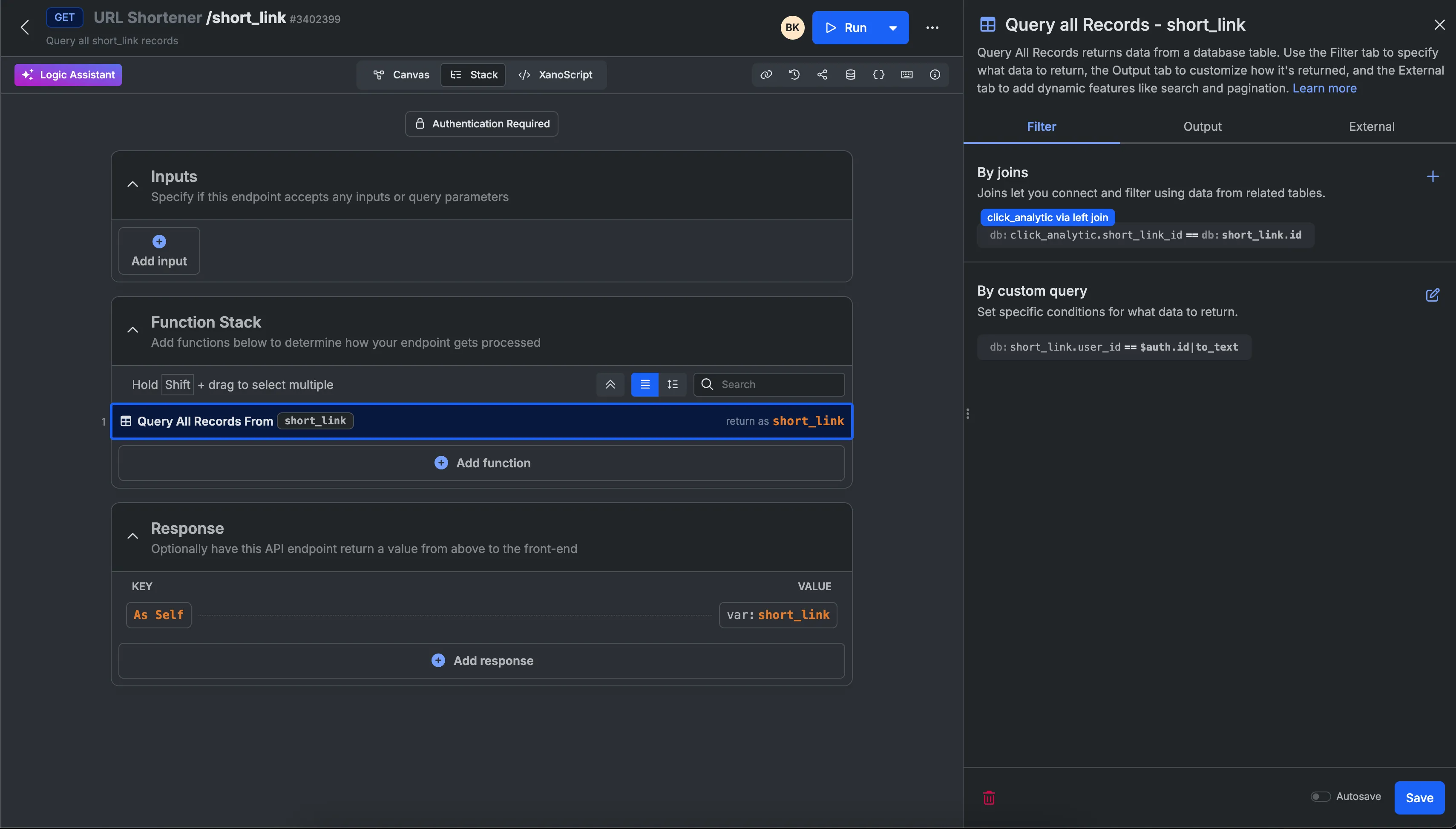
1. GET short_link - Query all short links for the authenticated user, joining with the click_analytic table to include analytics data. This endpoint filters results using short_link.user_id == $auth.id to show only the current user's links along with their click statistics.
2. POST short_link - Create a new short link record, storing the original URL, generated short code, title, and associating it with the authenticated user.
3. DELETE short_link/{short_link_id} - Delete a short link record (private endpoint).
Helper Service: Track Click Endpoint
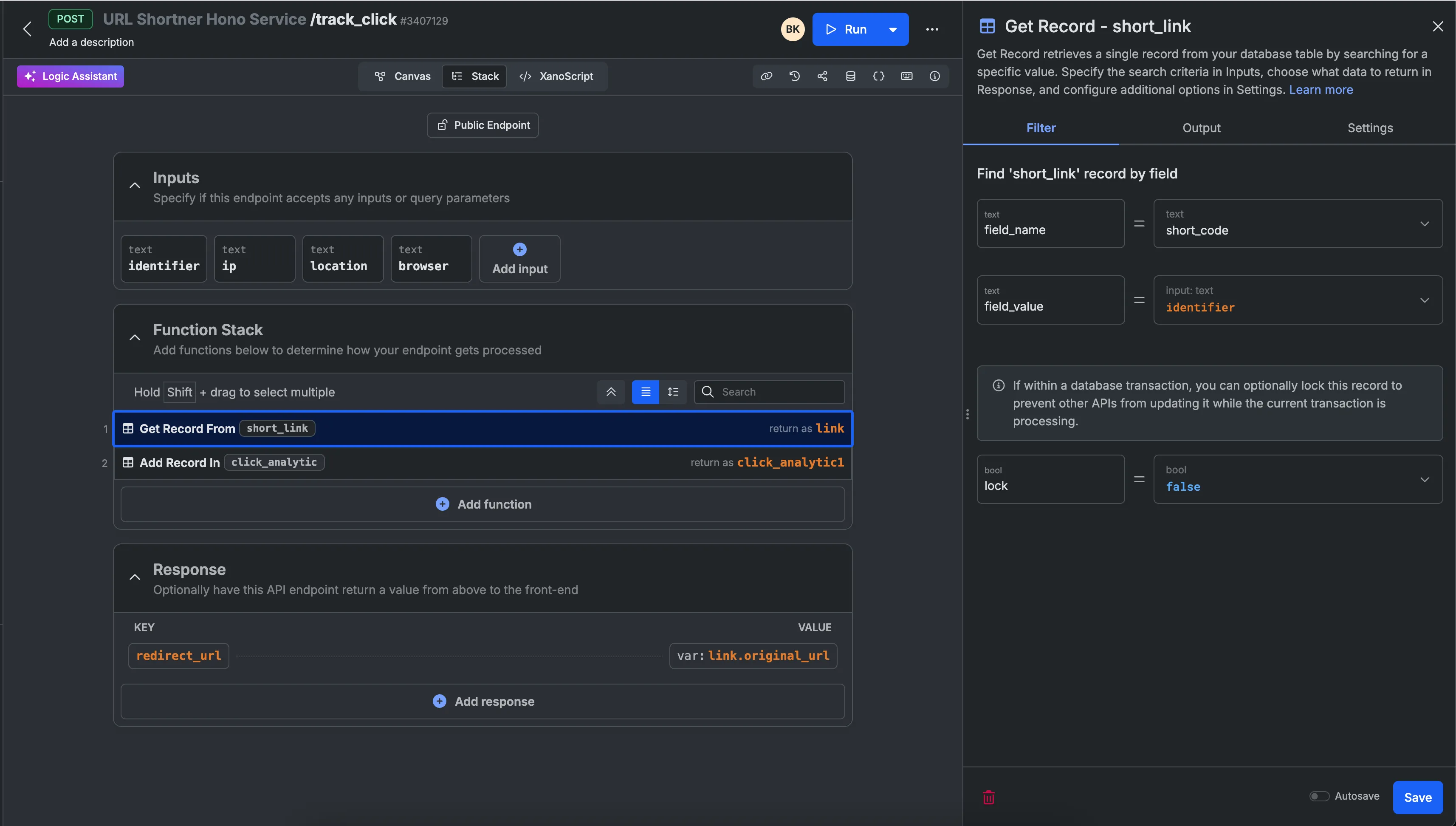
POST /track_click
This helper endpoint is called by the Hono proxy service to handle URL redirections. It accepts the short link identifier along with click analytics data:
Inputs:
identifier- The short code of the URL (text)ip- The visitor's IP address (text)location- The geographic location of the click (text)browser- The browser information of the visitor (text)
Process:
- Retrieves the short_link record using the identifier
- Creates a new click_analytic record with the provided tracking data and links it to the short_link
- Returns the original URL for the proxy to redirect to
Response:
redirect_url- The original URL to redirect the visitor to
This endpoint enables seamless tracking of all clicks while maintaining a clean redirect experience for end users.
Next Step
Now that the Xano backend is configured, proceed to the Wized setup guide to connect your frontend with these API endpoints.