
Custom Sitemap URL for Custom Sites
When using Wized with your custom site, you may need to configure the sitemap URL to help Wized understand your site's page structure and discover all available pages.
Setting Up Your Sitemap
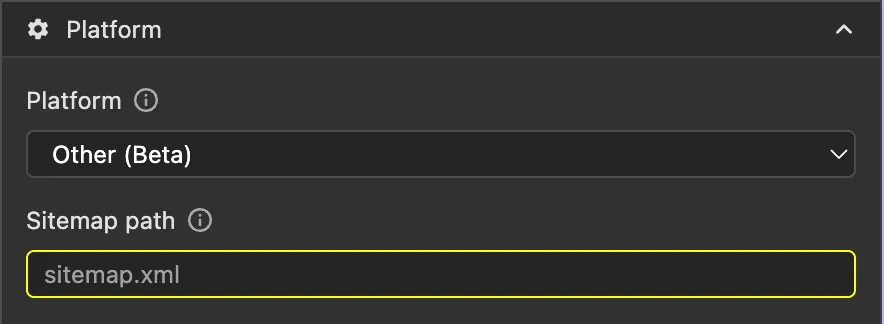
Wized uses your site's XML sitemap to map out your pages. You can configure this in your project settings.
Common Sitemap Locations
Here are common sitemap URL patterns for different setups:
| Site Type | Typical Sitemap URL |
|---|---|
| Static HTML site | /sitemap.xml |
| Next.js | /sitemap.xml |
| Nuxt | /sitemap.xml |
| Custom Node.js app | /sitemap.xml (depends on your setup) |
If your sitemap is not at the standard /sitemap.xml location, you'll need to provide the correct path in your Wized project settings.
Creating a Sitemap
If your custom site doesn't have a sitemap, you can:
- Generate one automatically - Use a sitemap generator service
- Create one manually - Write an XML sitemap file with your site's pages
- Generate programmatically - Use a library or middleware in your application to generate a dynamic sitemap
For example, a basic sitemap structure looks like:
xml
<?xml version="1.0" encoding="UTF-8"?>
<urlset xmlns="http://www.sitemaps.org/schemas/sitemap/0.9">
  <url>
    <loc>https://yoursite.com/</loc>
    <lastmod>2024-01-29</lastmod>
  </url>
  <url>
    <loc>https://yoursite.com/about</loc>
    <lastmod>2024-01-29</lastmod>
  </url>
  <url>
    <loc>https://yoursite.com/contact</loc>
    <lastmod>2024-01-29</lastmod>
  </url>
</urlset>
Once your sitemap is in place, update the sitemap URL in your Wized project settings to match your site's configuration.