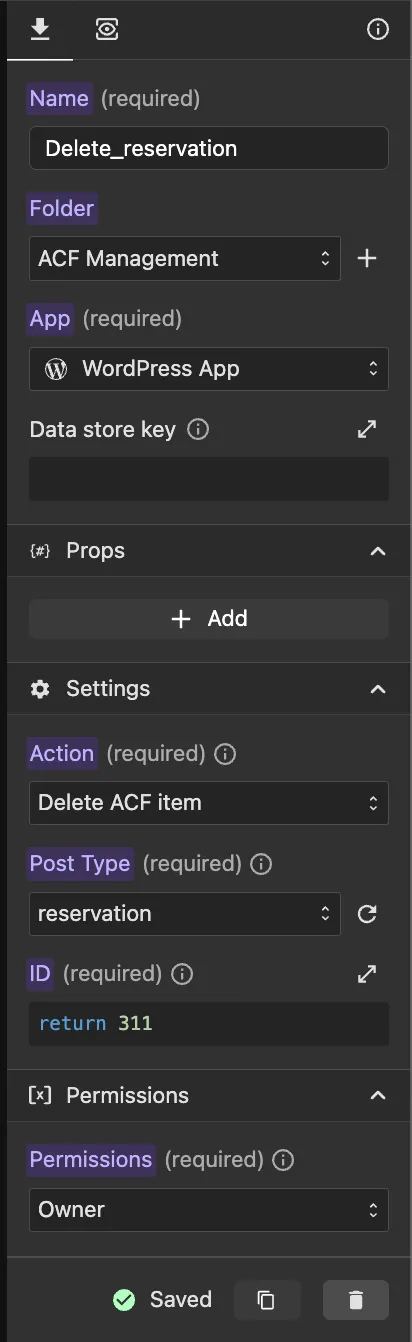
Delete Post method
With the "Delete item" method, you can delete an existing post item.
Main Parameters
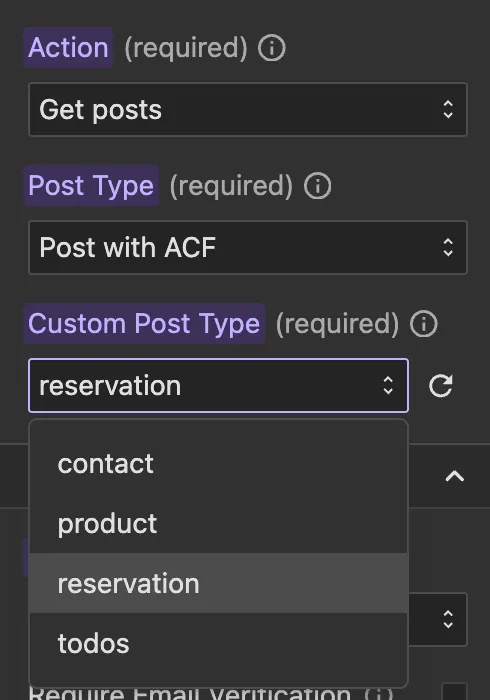
- Post Type: This is a required dropdown field where you can choose between:
- Post — deletes a standard WordPress post
- Post with ACF — when selected, a second dropdown will appear listing all custom post types that have ACF fields configured. Select the desired custom post type from that dropdown.
- Post Type ID: This is a required function field where you can return the ID of the item you want to delete.
Permissions
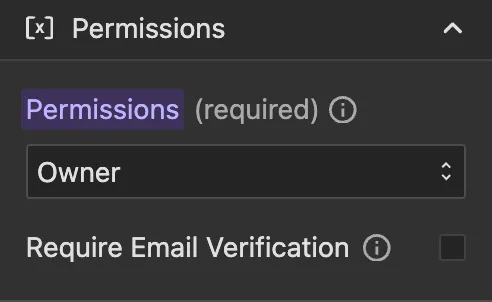
You can select who can delete the data. By default, Owner is selected, this means only the user who created a post can delete it, which is the recommended setting in most cases.
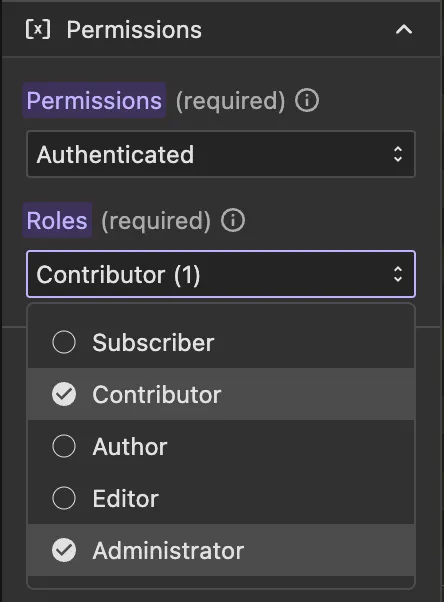
You can select from:
- Owner: Only the user who created the post can delete it (default, recommended)
- Allow Any: Any user can delete the data
- Authenticated: Any authenticated user can delete the data
- Subscriber: Users with at least "Subscriber" role can delete the data
- Contributor: Users with at least "Contributor" role can delete the data
- Author: Users with at least "Author" role can delete the data
- Editor: Users with at least "Editor" role can delete the data
- Administrator: Only users with "Administrator" role can delete the data
NOTE
Deleting an item is permanent. Make sure you have the correct item ID before performing this operation.