Get Posts List method
With the "Get list items" method, you can retrieve and filter multiple items from a specified post type. When selecting a post type, you can choose between:
- Post — retrieves standard WordPress posts with native fields only
- Post with ACF — retrieves posts that include both standard WordPress fields and ACF (Advanced Custom Fields) fields
Main Parameters
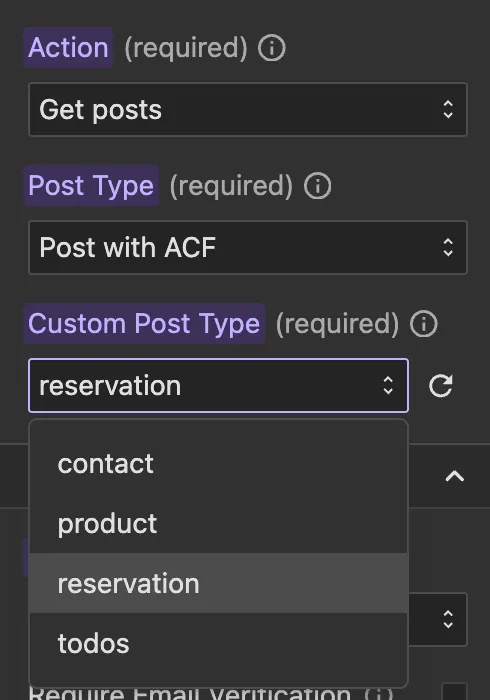
- Post Type: This is a required dropdown field where you can choose between:
- Post — retrieves standard WordPress posts
- Post with ACF — when selected, a second dropdown will appear listing all custom post types that have ACF fields configured. Select the desired custom post type from that dropdown.
Permissions
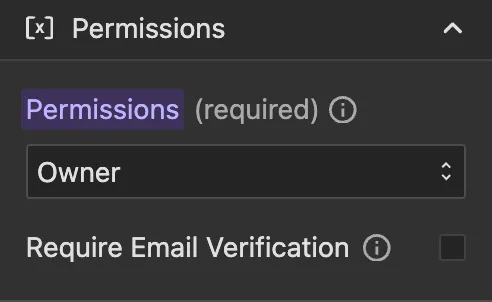
You can select who can retrieve the data. By default, Owner is selected, this means only the user who created a post can retrieve it, which is the recommended setting in most cases.
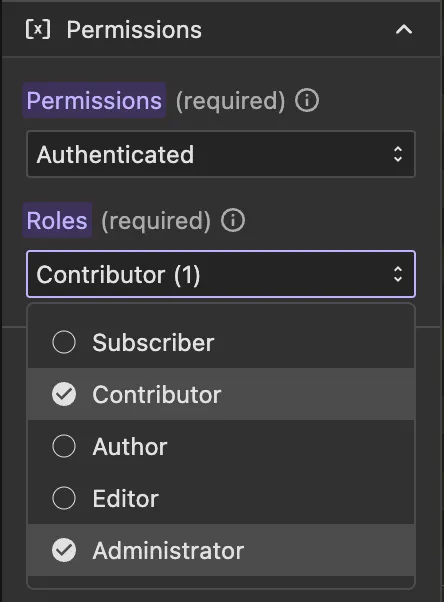
You can select from:
- Owner: Only the user who created the post can retrieve it (default, recommended)
- Allow Any: Any user can retrieve the data
- Authenticated: Any authenticated user can retrieve the data
- Subscriber: Users with at least "Subscriber" role can retrieve the data
- Contributor: Users with at least "Contributor" role can retrieve the data
- Author: Users with at least "Author" role can retrieve the data
- Editor: Users with at least "Editor" role can retrieve the data
- Administrator: Only users with "Administrator" role can retrieve the data
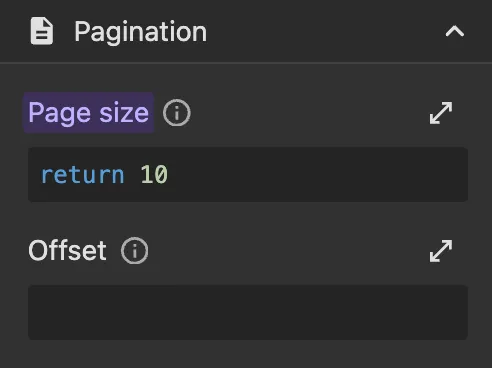
Pagination Parameters
You can paginate the results with the following params:
- Page size: The number of items returned in each request.
- Offset: The page number to fetch. Use this to implement pagination by incrementing the offset value.
Post
When you select a standard post type, you can sort and filter items using native WordPress post fields.
Sort Parameters
You can add multiple sort conditions and each condition will need to have params:
- Field Type: A dropdown to select whether to sort by a native post field.
- Sort by: This is a required dropdown field where you can select the native post field to apply sorting.
- Order: This is a required dropdown field with values:
Ascending,Descending. - Sort type: An optional dropdown to specify how the field value should be interpreted for sorting (e.g.
Alphabetical,Numeric,Date).
Filter Parameters
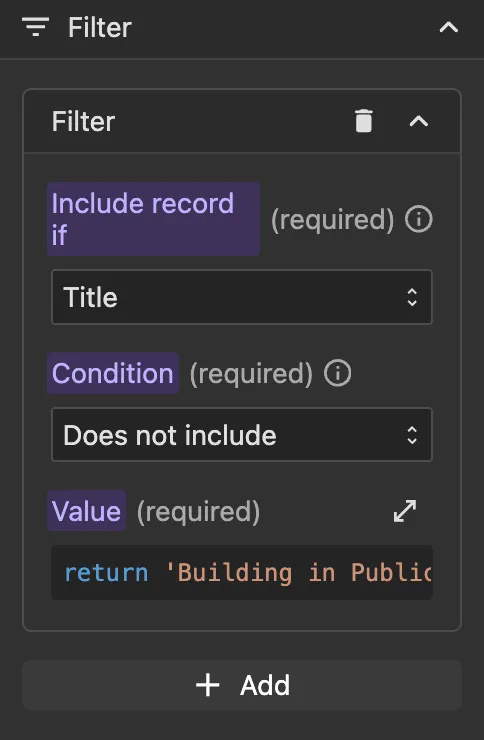
You can add multiple filters on standard WordPress fields. Each filter will need to have params:
- Field: This is a required dropdown field where you can select the post field to filter by.
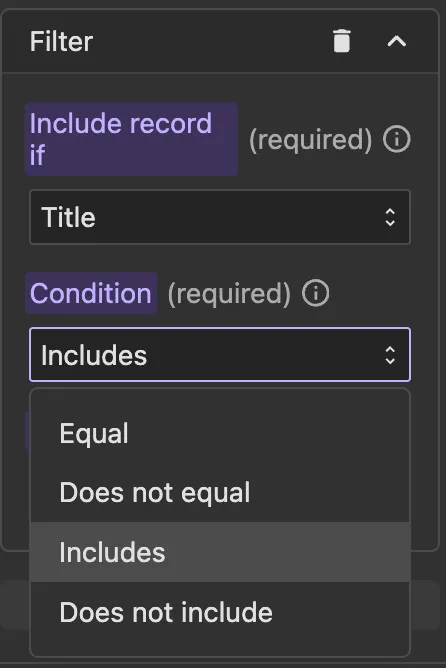
- Condition: This is a required dropdown field with values:
Equal,Does not equal,Includes,Does not include. - Value: This is a required function field where you can return the value to filter with.
Post with ACF
When you select a post type with ACF configured, you can sort and filter items using both native WordPress fields and ACF meta fields.
Sort Parameters
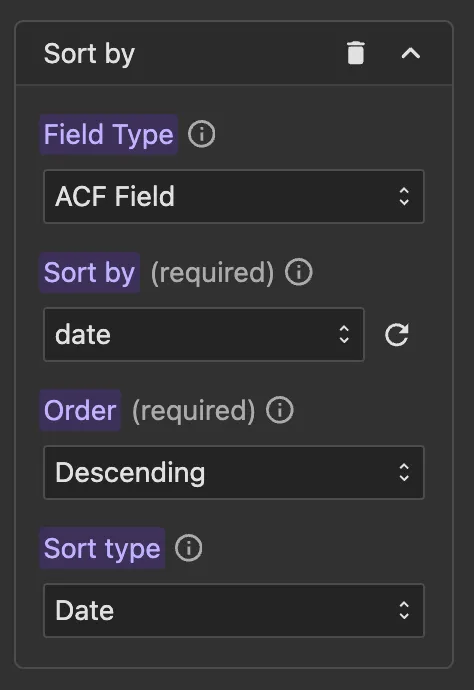
You can add multiple sort conditions and each condition will need to have params:
- Field Type: A dropdown to select whether to sort by a
Native Fieldor anACF Field. - Sort by: This is a required dropdown field where you can select the field to apply sorting.
- Order: This is a required dropdown field with values:
Ascending,Descending. - Sort type: An optional dropdown to specify how the field value should be interpreted for sorting (e.g.
Alphabetical,Numeric,Date).
Filter Parameters
You can add multiple filters on standard WordPress fields. Each filter will need to have params:
- Field: This is a required dropdown field where you can select the post field to filter by.
- Condition: This is a required dropdown field with values:
Equal,Does not equal,Includes,Does not include. - Value: This is a required function field where you can return the value to filter with.
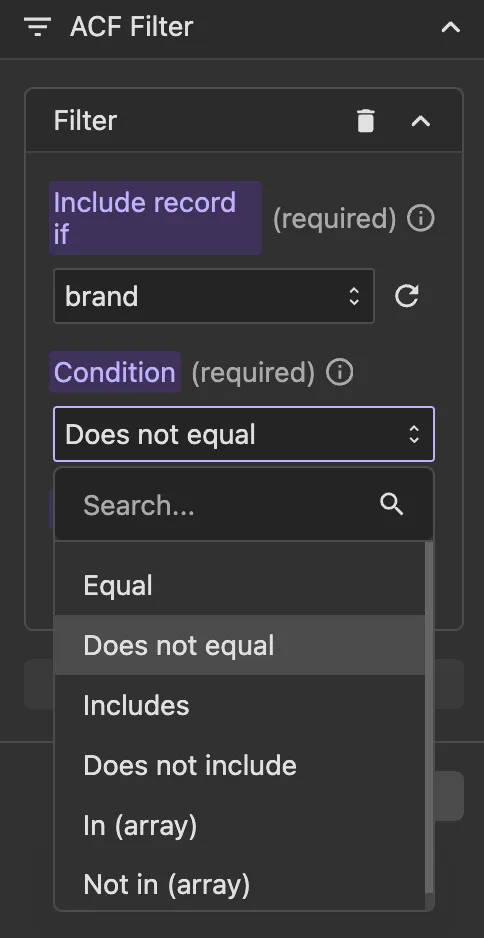
ACF Filter Parameters
You can add multiple filters on ACF (Advanced Custom Fields) meta fields. Each filter will need to have params:
- Field: This is a required dropdown field where you can select the ACF field to filter by.
- Condition: This is a required dropdown field with values:
Equal,Does not equal,Includes,Does not include,In (array),Not in (array). - Value: This is a required function field where you can return the value to filter with.